
Turn every table into a smarter ordering experience.
- Turn tables into an order point with QR code ordering
- Build your menu in minutes with AI-assisted setup
- Keep 100% of every order, zero commission fees
- Built-in accounting reports, no spreadsheets needed
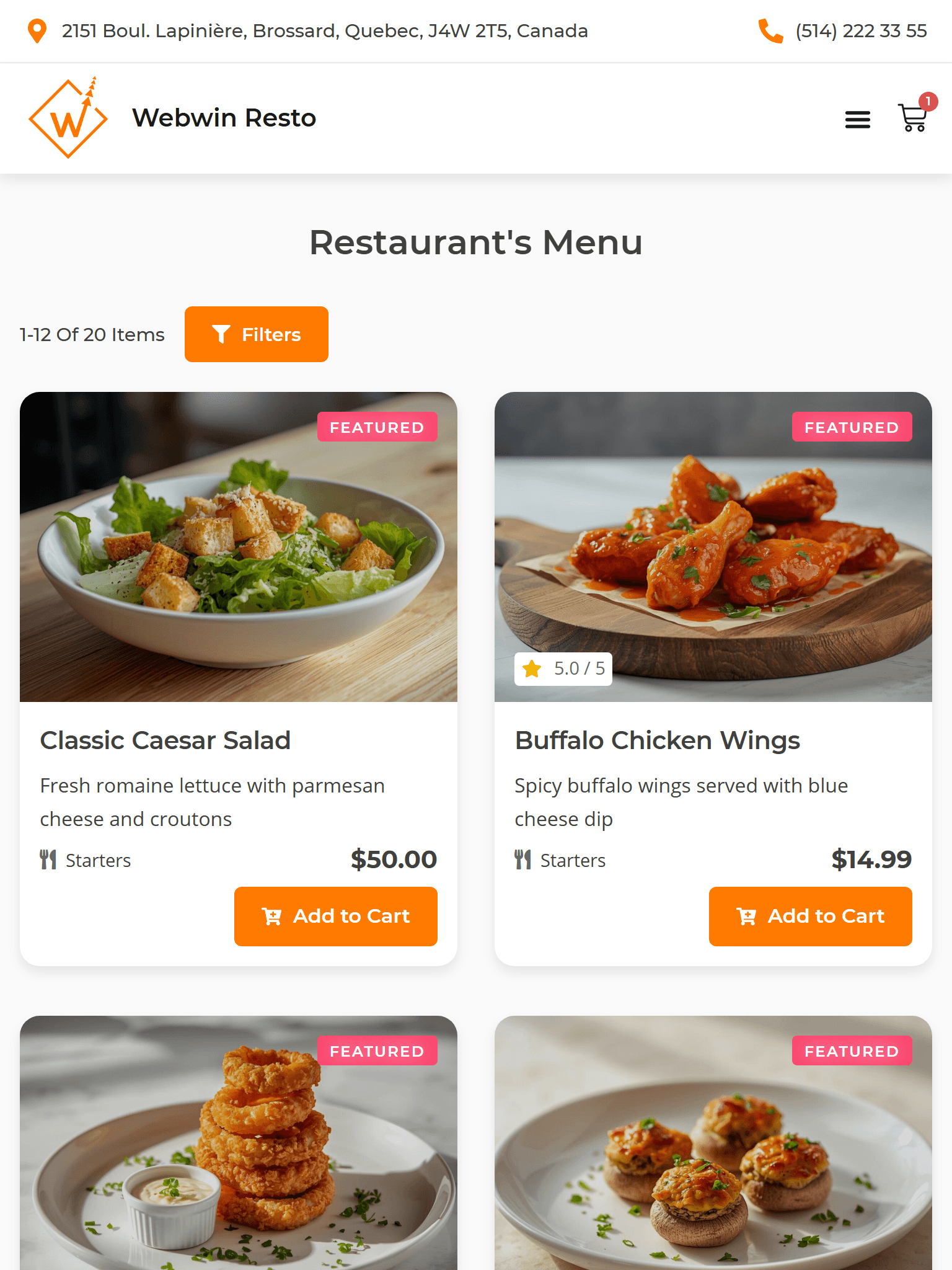
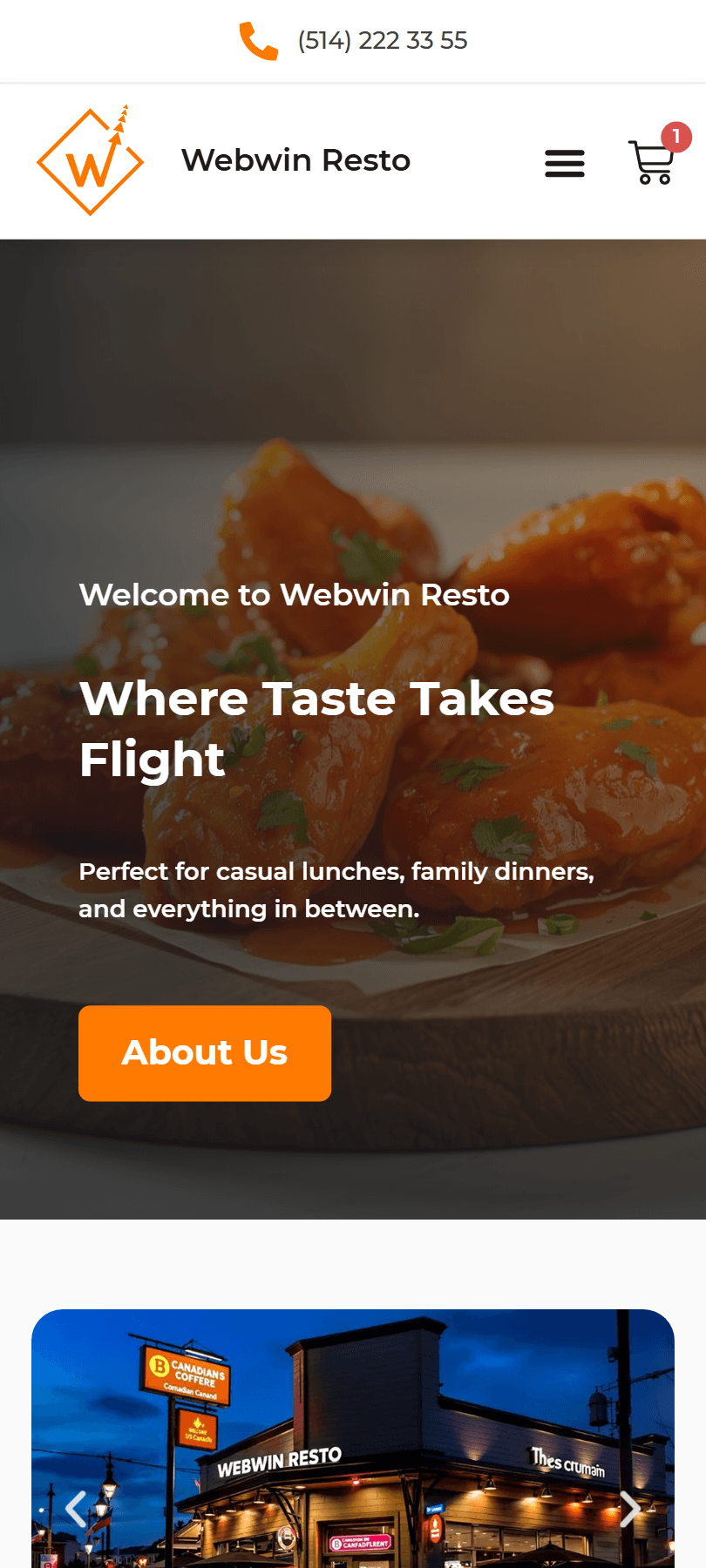
Everything You Need To Get The Kitchen In order
Multilingual Support
POS Integration
Purchase Analytics
Ordering Dashboard
Sales Analytics
Customer Order Management
Menu Analytics and Insights
Restaurant Branding
QR code Menu Creation
Why restaurant operators love using our digital menu
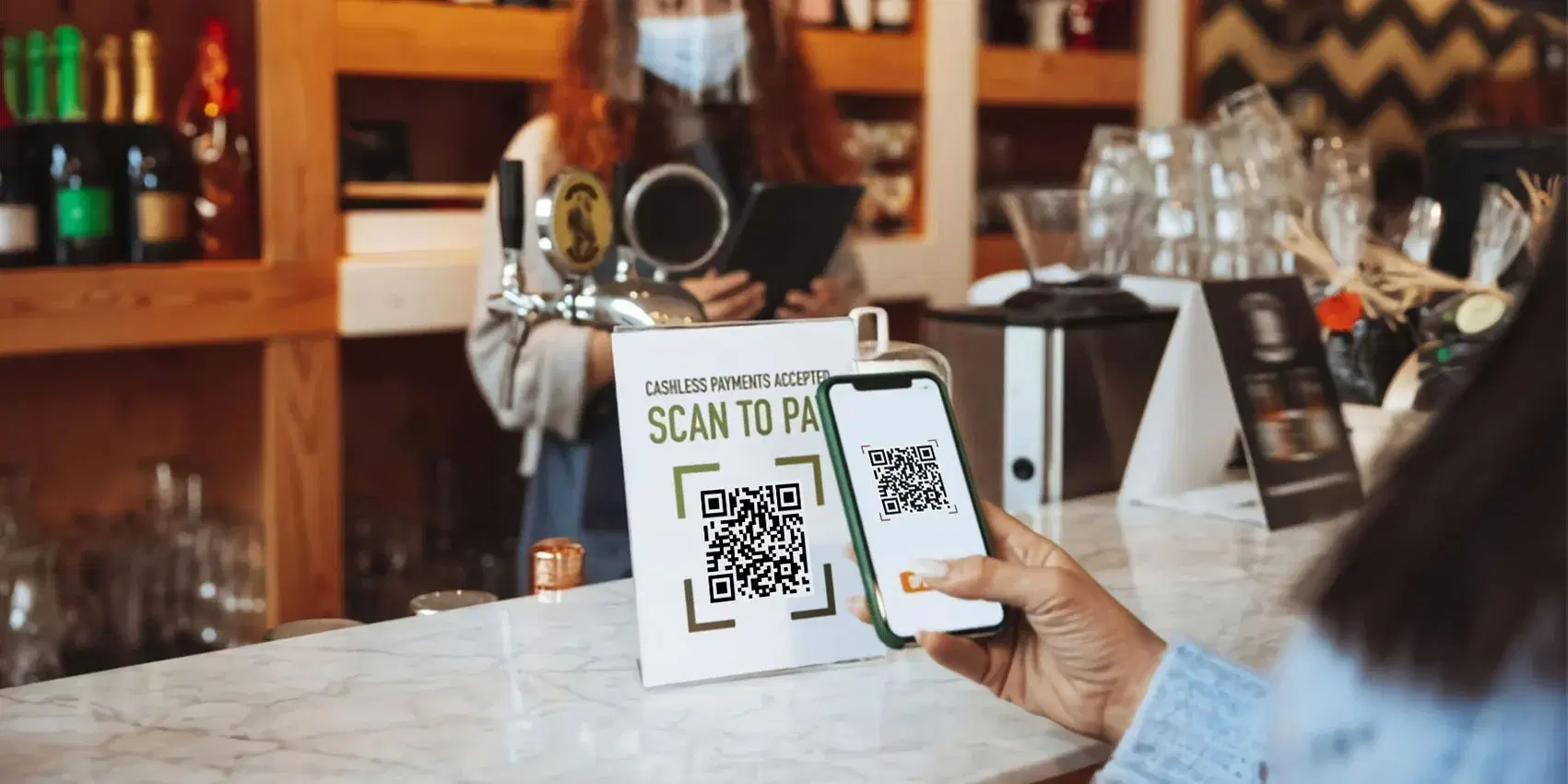
Transition to contactless ordering and payment
Go paperless and embrace contactless ordering and payments using a restaurant QR code menu for a cleaner and safer experience.
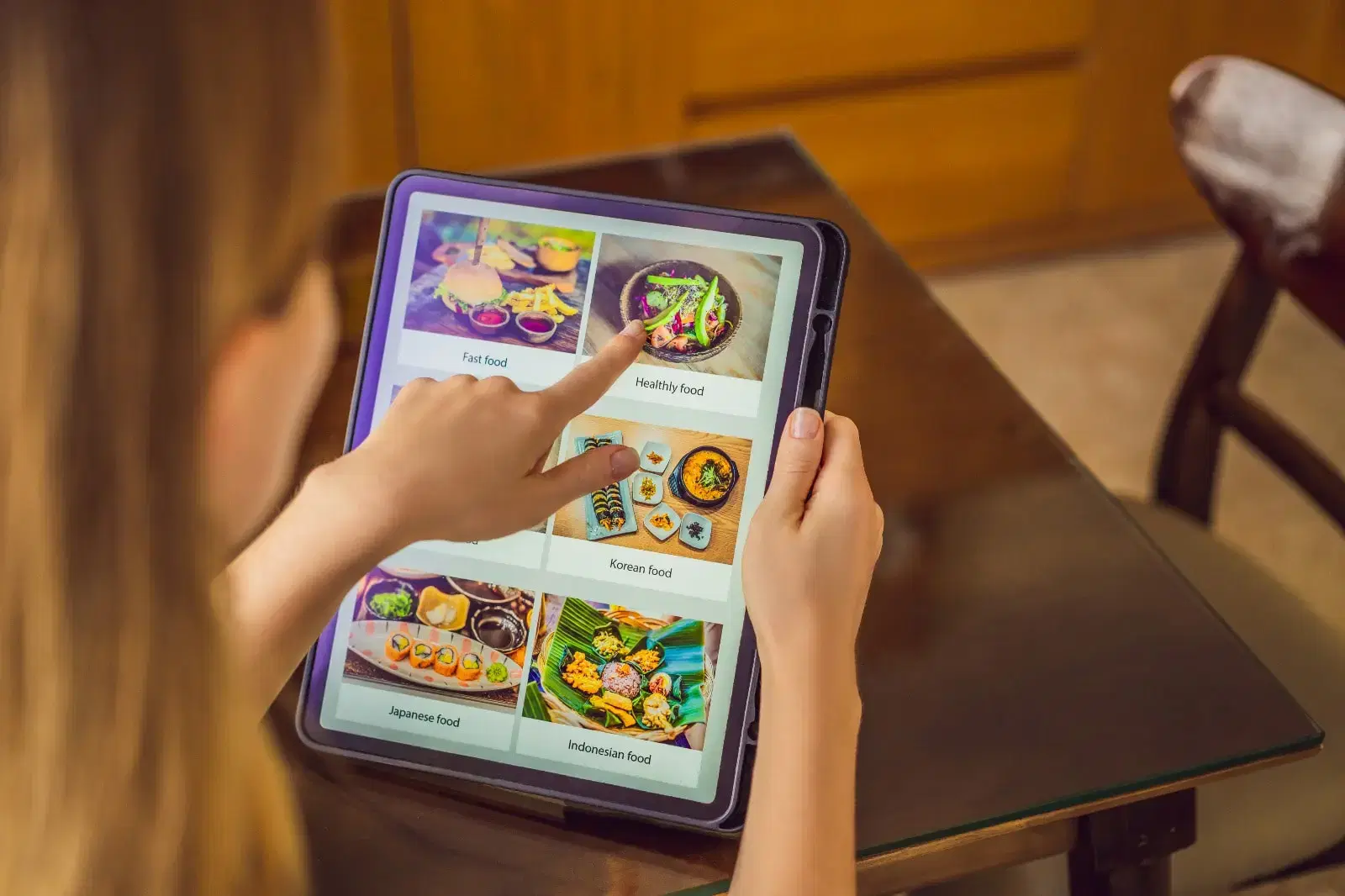
Easy-to-update menu items and prices
Modify menus and prices in real-time with an interactive restaurant menu.

Reduce wait times
Our streamlined ordering system enhances efficiency with faster service, keeping customers happy with shorter wait times.

Create cost-effective solutions
Our QR code menu is a cost-effective solution that reduces the need for printing and minimizes staff workload.
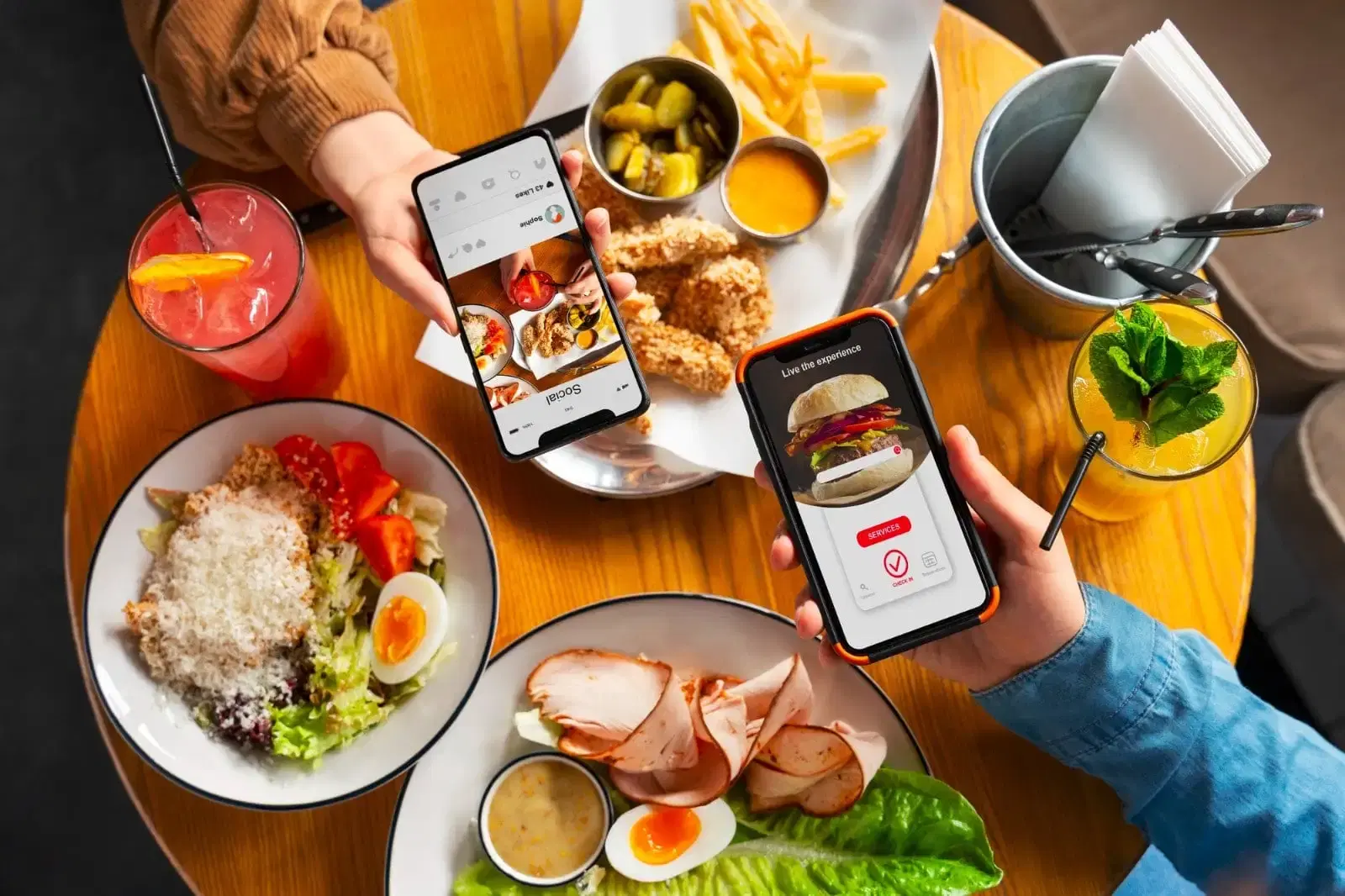
Increase order accuracy
Bid farewell to incorrect dishes as a menu QR code guarantees precision, enhancing overall customer satisfaction.

Enhance customer experience
Elevate the dining experience with our customer-friendly interactive restaurant menu features, turning satisfied customers into loyal patrons.
All-In-One Free Menu Maker And Restaurant Management System
Boost sales and engagement using WEBWIN’s free menu maker, management system, and built-in restaurant marketing tools.
How We Transform Your Photography Business in Just 5 Days
Launch & Support
Build & Optimize

Discovery & Design
OLD WAY vs NEW WAY COMPARISON
The Photography Website Revolution
Old Way
(What You're Probably Doing):
- Basic template websites that look like everyone else's
- Manual booking through emails and phone calls
- Sending photos via email or WeTransfer
- Spending hours on admin instead of shooting
- Losing clients to photographers with better online presence
New Way
(What Our Clients Experience):
- Custom-designed websites that showcase your unique style
- Automated booking system that works while you sleep
- Professional client portals for photo delivery and ordering
- Automated workflows that save 20+ hours per week
- Standing out from competitors with premium online presence
Everything your restaurant needs to run smarter
From your first online order to kitchen fulfillment and customer retention, WEBWIN connects every part of your restaurant in one place.
Sell More
Turn your website into a direct sales channel.
Let customers browse your menu, customize their order, pay online, and stay connected to your restaurant — without sending them through a disconnected ordering experience.
Direct orders
Keep customer data and avoid high marketplace fees
- Maintain full ownership of customer profile for marketing and loyalty programs.
- Eliminate high third-party commissions to increase overall profit margins.
- Build stronger relationships with food-lovers through a branded ordering flow.
Real-Time Updates
Orders sync instantly with your POS and kitchen
- Orders appear on the kitchen display seconds after submission.
- Automatic order confirmation reduces miscommunication with staff.
- Real-time ticket tracking ensures accurate wait times for customers.
Custom Add-Ons
Offer upsells, combos, and modifiers at checkout
- Suggest sides, drinks, or desserts to boost average order value.
- Provide ingredient modifiers for dietary preferences or allergies.
- Bundle items into combos for attractive special offers.
Integrated Payments
Accept cards, wallets, or UPI seamlessly
- PCI-compliant encryption protects every transaction.
- Support multiple payment methods, including mobile wallets and credit cards.
- Automatic receipt generation via email or SMS for customer convenience.
Analytics Integration
Track performance in real time
- Monitor QR scan count, number of customers, and the most sold food at a glance.
- Identify top-performing menu items.
- Export order analytics data for deeper marketing analysis.
QR Code Menu for Restaurants
Fast, Contactless, Customizable
Dynamic Updates
Instant menu management
- Edit items or prices anytime from the admin dashboard.
- Automatically refresh menus across all QR codes.
- Remove sold-out items in seconds to avoid customer confusion.
Custom QR Design
Brand-aligned codes
- Add logos and brand colors for a consistent identity.
- Choose code styles that match your restaurant décor.
- Generate high-resolution files for print or signage.
Scan Analytics
Data-driven insights
- Track scan frequency by location or table.
- Identify peak dining times and popular dishes.
- Measure campaign success with QR-specific data.
Integration Ready
Connect with other systems
- Link QR menus to ordering, payments, or loyalty programs.
- Use one QR code for multiple functions (menu, feedback, promos).
- Sync data with POS for unified reporting.
Table-Side / In-Restaurant Ordering
Speed up service by letting customers scan a QR code to view the menu, place orders, and pay—all from their own smartphones.
Contactless Experience
Safe and convenient
- Guests browse menus without touching physical menus.
- Reduce staff-customer contact for improved hygiene.
- Minimize printing costs by eliminating paper menus.
Instant POS Sync
Real-time order flow
- Orders go directly to the kitchen display or POS system.
- Reduce errors caused by manual entry.
- Enable immediate updates for sold-out items.
Faster Table Turnover
Serve more guests efficiently
- Reduce waiting time for placing and paying for orders.
- Free up staff to focus on service and upselling.
- Increase table availability during peak hours.
Upsell Opportunities
Increase average order value
- Suggest add-ons and sides directly in the ordering interface.
- Highlight specials or high-margin items during checkout.
- Personalize upsells based on customer selections.
Integrated Payments
Convenient checkout options
- Accept cards, wallets, UPI, and other payment integrations directly from the guest’s phone.
- Provide instant receipts via email.
- Speed up the payment process for quicker table clearance.
Restaurant Website Builder
Build a modern restaurant website directly inside WEBWIN. Drag-and-drop tools let you publish menus, accept orders, and promote specials—no technical skills needed.
Easy Editing
Drag-and-drop site creation
- Add or rearrange sections instantly without coding knowledge.
- Preview changes live before publishing.
- Update text and images anytime from any device.
Built-in Ordering
Menus and payments integrated
- Display live digital menus directly on your website.
- Sync orders with POS for accurate inventory and pricing.
- Accept secure payments without third-party plugins.
SEO Templates
Optimized for search engines
- Pre-built layouts follow Google’s SEO best practices.
- Editable meta tags help boost ranking for local searches.
- Mobile responsiveness improves page speed and visibility.
Custom Domain
Strengthen Brand Identity
- Connect your own domain or subdomain easily.
- Use SSL certificates for secure customer interactions.
- Maintain full control of brand presence online.
Analytics Integration
Track performance in real time
- Monitor QR scan count, number of customers, and the most sold food at a glance.
- Identify top performing menu items.
- Export order analytic data for deeper marketing analysis.
Menu and Website Templates
WEBWIN offers a library of professionally designed templates for both menus and websites, so you can launch quickly with a polished look.
Professional Designs
Built specifically for restaurants
- Choose from layouts created by food-service design experts.
- Highlight menu items with photo-friendly sections.
- Present information clearly to improve customer navigation.
Brand Customization
Make every template yours
- Edit fonts and colors to match your brand identity.
- Upload your own logos and images.
- Choose among preset digital menu templates with distinctive designs for a unique branding.
Mobile Ready
Seamless on all devices
- Templates automatically adapt to phones and tablets.
- Responsive design ensures a consistent user experience.
- Faster loading improves customer satisfaction and SEO.
Integrated Ordering
Ready for online sales
- Connect ordering and payment tools directly inside templates.
- Sync menu changes without re-designing the layout.
- Track template performance through analytics.
Run operations
Integrations (POS, Payment, 3rd-Party)
WEBWIN integrates with a leading POS system, payment providers, and third-party tools to simplify order flow and financial reporting.
POS Integration
Automatic order syncing
- Send orders directly to the POS without manual entry.
- Ensure real-time inventory updates.
- Eliminate order errors caused by rekeying.
Payment Gateways
Secure, flexible payments
- Accept cards, wallets, and regional payment methods.
- Enable one-click refunds and chargebacks.
- Maintain PCI-compliant security for all transactions.
Third-Party Apps
Expand functionality
- Connect with accounting.
- Use APIs for custom business workflows.
Real-Time Data Sync
Consistent updates
- Keep menu changes synced across all platforms.
- Automatically update pricing across integrated systems.
- Reduce administrative workload with live connections.
Scalable Architecture
Grow without limits
- Add new branches or integrations easily.
- Support high order volumes without delays.
- Future-proof your operations as technology evolves.
Kitchen display System for Restaurants
Streamline your kitchen operations with real-time
digital order displays—no lost tickets, no confusion.
Real-Time Order Display
- Orders appear instantly on the kitchen screen system as soon as they're placed.
- No more printing or lost paper tickets.
- Color-coded order status (new, in progress, ready) for quick tracking.
Organized Kitchen Workflow
- Assign orders to different kitchen stations, such as grill, dessert, or drinks.
- Track cooking time and prioritize urgent orders.
- Reduce bottlenecks and maintain a steady workflow in the kitchen.
Integrated with the WEBWIN Ecosystem
- Works perfectly with your QR code menu and online ordering system.
- Syncs order changes and cancellations in real time.
- Provides a complete view from order placement to fulfillment.
Kitchen Analytics and Insights
- Monitor preparation time and peak-hour performance.
- Identify top-selling items and optimize your process.
- Use order data to improve service speed and quality.
Integrated Payments
- Eco-Friendly and Cost-Efficient.
- Save money on ticket printing and manual errors.
- Create a sustainable and efficient restaurant environment.
Grow smarter
Restaurant Analytics and Data Insights
Gain full visibility into sales trends, customer habits, and menu performance. WEBWIN’s’s analytics dashboard provides real-time data to guide pricing, promotions, and staffing.
Sales Reporting
Monitor revenue at a glance
- View daily, weekly, or monthly sales in real time.
- Filter by branch, category, or time of day.
- Compare performance across different periods.
Menu Performance
Identify best-sellers
- Track individual dish popularity and profitability.
- Spot underperforming items to adjust pricing or remove.
- Use data to design specials around top sellers.
Customer Insights
Understand guest behavior
- Analyze visit frequency and order patterns.
- Predict busy hours to optimize staffing.
Marketing ROI
Measure campaign success
- Track specific promotions on your sales report.
- Calculate return on marketing investments.
Export & Integrations
Flexible data use
- Export reports in xlsx and CSV formats.
- Share automated reports with team members.
- Sync data with POS for unified reporting.
Marketing Tools for Restaurants
Engage customers with discounts, email campaigns, and targeted promotions—all managed inside WEBWIN.
Promo Codes
Flexible discounts
- Create time-limited offers for holidays or events.
- Schedule discount periods.
- Customize campaigns and promos anytime.
Automated Campaigns
Set and forget
- Schedule recurring promotions ahead of time.
- Target campaign promos for specific customer groups.
- Reduce manual effort with automated reminders.
Restaurant Feedback Management
Capture guest feedback while the dining experience is fresh. WEBWIN makes it easy for customers to rate their visit and leave comments directly through the QR menu or online ordering platform.
One-Tap Ratings
Quick and simple reviews
- Customers rate their experience with a single tap.
- Display average ratings publicly or keep them private.
Custom Surveys
Tailored feedback collection
- Create questions to gather service-specific insights.
- Add optional comment boxes for detailed responses.
- Offer incentives (e.g., discounts) for completed surveys through the counter.
Instant Alerts
Real-time notifications
- Notify managers immediately when low ratings are submitted.
- Allow staff to address concerns before customers leave.
- Reduce negative online reviews through fast resolution.
Analytics Reporting
Track trends and issues
- View feedback by date and location.
- Identify recurring issues to improve training.
- Export results in a CSV format for management meetings.
01 • Online Ordering
Turn your website into a direct sales channel.
Let customers browse your menu, customize their order, pay online, and stay connected to your restaurant — without sending them through a disconnected ordering experience.
Real-Time Updates
Orders sync instantly with your POS and kitchen
- Orders appear on the kitchen display seconds after submission.
- Automatic order confirmation reduces miscommunication with staff.
- Real-time ticket tracking ensures accurate wait times for customers.
Analytics Integration
Track performance in real time
- Monitor QR scan count, number of customers, and the most sold food at a glance.
- Identify top-performing menu items.
- Export order analytics data for deeper marketing analysis.
Custom Add-Ons
Offer upsells, combos, and modifiers at checkout
- Suggest sides, drinks, or desserts to boost average order value.
- Provide ingredient modifiers for dietary preferences or allergies.
- Bundle items into combos for attractive special offers.
Integrated Payments
Accept cards, wallets, or UPI seamlessly
- PCI-compliant encryption protects every transaction.
- Support multiple payment methods, including mobile wallets and credit cards.
- Automatic receipt generation via email or SMS for customer convenience.
Direct orders
Keep customer data and avoid high marketplace fees
- Maintain full ownership of customer profile for marketing and loyalty programs.
- Eliminate high third-party commissions to increase overall profit margins.
- Build stronger relationships with food-lovers through a branded ordering flow.
02 • QR code Menu
QR Code Menu for Restaurants
Fast, Contactless, Customizable
Dynamic Updates
Instant menu management
- Edit items or prices anytime from the admin dashboard.
- Automatically refresh menus across all QR codes.
- Remove sold-out items in seconds to avoid customer confusion.
Custom QR Design
Brand-aligned codes
- Add logos and brand colors for a consistent identity.
- Choose code styles that match your restaurant décor.
- Generate high-resolution files for print or signage.
Scan Analytics
Data-driven insights
- Track scan frequency by location or table.
- Identify peak dining times and popular dishes.
- Measure campaign success with QR-specific data.
Integration Ready
Connect with other systems
- Link QR menus to ordering, payments, or loyalty programs.
- Use one QR code for multiple functions (menu, feedback, promos).
- Sync data with POS for unified reporting.
03 • Table-Side Ordering
Table-Side / In-Restaurant Ordering
Speed up service by letting customers scan a QR code to view the menu, place orders, and pay—all from their own smartphones.
Contactless Experience
Safe and convenient
- Guests browse menus without touching physical menus.
- Reduce staff-customer contact for improved hygiene.
- Minimize printing costs by eliminating paper menus.
Instant POS Sync
Real-time order flow
- Orders go directly to the kitchen display or POS system.
- Reduce errors caused by manual entry.
- Enable immediate updates for sold-out items.
Faster Table Turnover
Serve more guests efficiently
- Reduce waiting time for placing and paying for orders.
- Free up staff to focus on service and upselling.
- Increase table availability during peak hours.
Upsell Opportunities
Increase average order value
- Suggest add-ons and sides directly in the ordering interface.
- Highlight specials or high-margin items during checkout.
- Personalize upsells based on customer selections.
Integrated Payments
Convenient checkout options
- Accept cards, wallets, UPI, and other payment integrations directly from the guest’s phone.
- Provide instant receipts via email.
- Speed up the payment process for quicker table clearance.
04 • Website Builder
Restaurant Website Builder
Build a modern restaurant website directly inside WEBWIN. Drag-and-drop tools let you publish menus, accept orders, and promote specials—no technical skills needed.
Easy Editing
Drag-and-drop site creation
- Add or rearrange sections instantly without coding knowledge.
- Preview changes live before publishing.
- Update text and images anytime from any device.
Built-in Ordering
Menus and payments integrated
- Display live digital menus directly on your website.
- Sync orders with POS for accurate inventory and pricing.
- Accept secure payments without third-party plugins.
SEO Templates
Optimized for search engines
- Pre-built layouts follow Google’s SEO best practices.
- Editable meta tags help boost ranking for local searches.
- Mobile responsiveness improves page speed and visibility.
Custom Domain
Strengthen Brand Identity
- Connect your own domain or subdomain easily.
- Use SSL certificates for secure customer interactions.
- Maintain full control of brand presence online.
Analytics Integration
Track performance in real time
- Monitor QR scan count, number of customers, and the most sold food at a glance.
- Identify top performing menu items.
- Export order analytic data for deeper marketing analysis.
05 • Menu Templates
Menu and Website Templates
WEBWIN offers a library of professionally designed templates for both menus and websites, so you can launch quickly with a polished look.
Professional Designs
Built specifically for restaurants
- Choose from layouts created by food-service design experts.
- Highlight menu items with photo-friendly sections.
- Present information clearly to improve customer navigation.
Brand Customization
Make every template yours
- Edit fonts and colors to match your brand identity.
- Upload your own logos and images.
- Choose among preset digital menu templates with distinctive designs for a unique branding.
Mobile Ready
Seamless on all devices
- Templates automatically adapt to phones and tablets.
- Responsive design ensures a consistent user experience.
- Faster loading improves customer satisfaction and SEO.
Integrated Ordering
Ready for online sales
- Connect ordering and payment tools directly inside templates.
- Sync menu changes without re-designing the layout.
- Track template performance through analytics.
01 • Integrations
Integrations (POS, Payment, 3rd-Party)
WEBWIN integrates with a leading POS system, payment providers, and third-party tools to simplify order flow and financial reporting.
POS Integration
Automatic order syncing
- Send orders directly to the POS without manual entry.
- Ensure real-time inventory updates.
- Eliminate order errors caused by rekeying.
Payment Gateways
Secure, flexible payments
- Accept cards, wallets, and regional payment methods.
- Enable one-click refunds and chargebacks.
- Maintain PCI-compliant security for all transactions.
Third-Party Apps
Expand functionality
- Connect with accounting.
- Use APIs for custom business workflows.
Real-Time Data Sync
Consistent updates
- Keep menu changes synced across all platforms.
- Automatically update pricing across integrated systems.
- Reduce administrative workload with live connections.
Scalable Architecture
Grow without limits
- Add new branches or integrations easily.
- Support high order volumes without delays.
- Future-proof your operations as technology evolves.
02 • Table Management
03 • Kitchen Display System
Kitchen display System for Restaurants
Streamline your kitchen operations with real-time
digital order displays—no lost tickets, no confusion.
Real-Time Order Display
- Orders appear instantly on the kitchen screen system as soon as they're placed.
- No more printing or lost paper tickets.
- Color-coded order status (new, in progress, ready) for quick tracking.
Organized Kitchen Workflow
- Assign orders to different kitchen stations, such as grill, dessert, or drinks.
- Track cooking time and prioritize urgent orders.
- Reduce bottlenecks and maintain a steady workflow in the kitchen.
Integrated with the WEBWIN Ecosystem
- Works perfectly with your QR code menu and online ordering system.
- Syncs order changes and cancellations in real time.
- Provides a complete view from order placement to fulfillment.
Kitchen Analytics and Insights
- Monitor preparation time and peak-hour performance.
- Identify top-selling items and optimize your process.
- Use order data to improve service speed and quality.
Integrated Payments
- Eco-Friendly and Cost-Efficient.
- Save money on ticket printing and manual errors.
- Create a sustainable and efficient restaurant environment.
01 • Analytics
Restaurant Analytics and Data Insights
Gain full visibility into sales trends, customer habits, and menu performance. WEBWIN’s’s analytics dashboard provides real-time data to guide pricing, promotions, and staffing.
Sales Reporting
Monitor revenue at a glance
- View daily, weekly, or monthly sales in real time.
- Filter by branch, category, or time of day.
- Compare performance across different periods.
Menu Performance
Identify best-sellers
- Track individual dish popularity and profitability.
- Spot underperforming items to adjust pricing or remove.
- Use data to design specials around top sellers.
Customer Insights
Understand guest behavior
- Analyze visit frequency and order patterns.
- Predict busy hours to optimize staffing.
Marketing ROI
Measure campaign success
- Track specific promotions on your sales report.
- Calculate return on marketing investments.
Export & Integrations
Flexible data use
- Export reports in xlsx and CSV formats.
- Share automated reports with team members.
- Sync data with POS for unified reporting.
02 • Marketing Tools
Marketing Tools for Restaurants
Engage customers with discounts, email campaigns, and targeted promotions—all managed inside WEBWIN.
Promo Codes
Flexible discounts
- Create time-limited offers for holidays or events.
- Schedule discount periods.
- Customize campaigns and promos anytime.
Automated Campaigns
Set and forget
- Schedule recurring promotions ahead of time.
- Target campaign promos for specific customer groups.
- Reduce manual effort with automated reminders.
03 • Feedback Management
Restaurant Feedback Management
Capture guest feedback while the dining experience is fresh. WEBWIN makes it easy for customers to rate their visit and leave comments directly through the QR menu or online ordering platform.
One-Tap Ratings
Quick and simple reviews
- Customers rate their experience with a single tap.
- Display average ratings publicly or keep them private.
Custom Surveys
Tailored feedback collection
- Create questions to gather service-specific insights.
- Add optional comment boxes for detailed responses.
- Offer incentives (e.g., discounts) for completed surveys through the counter.
Instant Alerts
Real-time notifications
- Notify managers immediately when low ratings are submitted.
- Allow staff to address concerns before customers leave.
- Reduce negative online reviews through fast resolution.
Analytics Reporting
Track trends and issues
- View feedback by date and location.
- Identify recurring issues to improve training.
- Export results in a CSV format for management meetings.
Case Study Example

Lisa's Wedding Photography Business
From Struggling to Fully Booked:
“Before working with Webwin, I was getting maybe 2-3 inquiries per month from my old website. Most potential clients would visit and then I’d never hear from them. Within 30 days of launching my new website, I had 15 qualified inquiries and booked 8 weddings for the next season. The automated booking system alone has saved me 10 hours per week!”
David Doubled His Session Booking
How David Doubled His Portrait Session Bookings in 90 Days:
“I was spending 3-4 hours every day just responding to emails, scheduling sessions, and sending photos to clients. My old website looked amateur and I was losing clients to photographers with better online presence. After getting my new website from Webwin, everything changed.
In the first 90 days: I went from 8 portrait sessions per month to 16 and I saved 15 hours per week on admin tasks.”
Sarah's Newborn Photography Success
From Hobby to Full-Time Business:
“I started doing newborn photography as a side hustle with a basic Facebook page and word-of-mouth referrals. I knew I needed a real website to be taken seriously, but I was overwhelmed by all the technical stuff.
Within 6 months of launching my new website: I’m booking 20+ newborn sessions monthly.”
You Selected Plan
Please fill out the form below and we will contact you shortly.
Thank you for your request.
We will contact to you soon.
Frequently Asked Questions
🕒 Project & Delivery
How long does it take to build my website?
Most photography websites are completed within 3 to 14 business days from approval of the design concept.
What if I don't like the design?
We include unlimited revisions during the design phase until you’re 100% satisfied.
Will I get training on how to use everything?
Yes. We provide one-on-one training sessions and tutorials so you feel confident managing your site.
🔒 Security & Reliability
Is my website secure?
Most photography websites are completed within 3 to 14 business days from approval of the design concept.
Can I control who sees each gallery?
Yes. You decide whether galleries are private, password-protected, or public. Parents only see what you assign them.
🚀 Growth & Flexibility
Do I need to purchase hosting separately?
No. Hosting is included in all plans, so you don’t need to worry about finding or managing your own hosting service.
Can I keep my current domain name?
Yes. If you already have a domain, we’ll connect it to your new site. If not, we’ll help you secure one.
Will I receive free updates?
Yes. All customers get free system updates to ensure your site stays fast, secure, and compatible with new features.
Can I customize the look of my site?
Yes. Fonts, colors, layouts, and features can be tailored to your brand.
Will my site grow with my business?
Definitely. You can add unlimited galleries, clients, and products.
Can I add marketing tools later?
Yes. We offer add-ons like SEO optimization, email marketing, and automated campaigns.
⚙️ Features & Functionality
Do I need technical knowledge to manage my website?
Not at all! The admin panel is built for photographers, not tech experts.
Can clients really book and pay online automatically?
Yes! The booking system handles scheduling, deposits, and sends automatic reminders.
How do photo galleries work for events like schools or daycares?
Each parent gets a secure login. They can view their child’s photos plus collective event albums — no one else can access them.
Can I sell products like prints, mugs, and digital downloads?
Absolutely. Every photo can be linked to unlimited products such as prints, frames, mugs, T-shirts, or downloads.
Can I create special offers or coupon codes?
Yes. You can generate discount codes for seasonal promotions, loyal clients, or special events.
Can I set customized pricing for specific clients?
Yes. You can assign unique price lists for a particular client.
Is there a limit to how many products I can link to a photo?
No limits at all. Each single photo can be associated with unlimited products — from prints of every size to creative merchandise.
Can my clients upload their own photos?
Yes. Clients can securely upload photos for retouching or product fulfillment if you enable this option.
💰 Pricing & Ownership
Do I fully own my website?
Yes. Once built, the site and content are 100% yours. Unlike subscription-only platforms, you’re not locked in.
Are there hidden fees?
No. All costs are transparent. Optional services like storage upgrades or marketing add-ons are clearly outlined.
Is this cheaper than using WooCommerce or Shopify?
Yes. Standard platforms don’t handle individual + collective galleries for photographers. Our system is purpose-built, saving you time and extra plugin costs.
Do you provide ongoing support?
Yes. All packages include support, and you can also choose flexible maintenance plans for updates.
Scan the QR code to Preview Your Digital Menu For Restaurants
Explore a customizable, interactive menu designed to simplify ordering, boost your engagement, and showcase your restaurant at its best in just a scan.